- Brainstorm solutions to your problem with your team
These are the activities for this lesson:
SOLUTIONS
While you might come up with a completely new solution or technology for your Technovation project, you do not have to start from scratch! You can also:
- Improve something that already exists
- Reduce the cost of something that already exists
- Apply an existing approach to a new situation

Don’t forget that your Technovation project needs to be a digital solution.
As you generate ideas, keep that in the back of your mind.
POSSIBLE APP FEATURES
Collect data and raise awareness
by gathering data from sensors, people, AI, or websites. Sharing data educates users about the problem.
Motivate behavior change
through a reward system, games, or community sharing. Ultimately helps to solve the problem.
Build empathy
to cause your users to have a deeper understanding of the problem and want to take action.
Implement and track
so users take action on the problem and track their actions.
IS TECHNOLOGY THE ANSWER?
Consider the problem: elderly people in the community are lonely and isolated.
Below are some examples of solutions – some with technology, but also some without. Hover over each box to see how technology can (or maybe cannot) help.
Solution
How to make it better with technology
Solution
Solution
How to make it better with technology
Solution
Solution
How to make it better with technology
Solution
How to make it better with technology
Solution
Solution
How to make it better with technology
As you can see, not all of the solutions you think of will be made better by creating a digital solution or using AI. Talking to elderly people in your community could lead you to a solution that works. For example, some technical solutions may not work if the target users aren’t comfortable using digital solutions or computer programs.

SOLUTIONS MAPPING
If technology is the answer to the problem you plan to solve, pick the best digital solution to solve that problem.
Previously in Unit 1, you were introduced to the following list of digital solutions that you can submit for your Technovation Challenge project. Different digital solutions fit better with solving certain problems. Review the cards below to learn which digital solutions are best for solving different problems.
Match the Problem to the Solution
Use the slides below to explore which digital solution might work for your idea:
- Be used primarily on a smartphone or tablet.
- Use device features such as GPS, a camera, microphone, or notifications.
- Provide a personalized experience and send notifications or reminders.
Would having this solution directly on a user's phone make it easier or more useful?
- Be accessible from different devices through a web link without installing an app.
- Allow users to create accounts; and enter, manage, or interact with information.
- Allow users to complete tasks or workflows online.
Does my user need to interact with information or complete tasks through a browser?
- Add more useful features to an existing website.
- Provide a tool that users can access while visiting different websites.
- Help users collect, organize, and analyze information, or solve a problem that is faced, while working online.
Does the problem happen while my users are browsing the web?
- Provide personalized guidance or recommendations.
- Understand natural-language questions or provide instructions.
- Generate, summarize, or analyze information.
Would talking with the solution make it easier for my users to get the help or information they need?
- Reach user who only have a mobile phone, or limited internet access.
- Allow users to interact through text messages or phone calls.
- Make a service available without requiring an app or website.
Would my target audience benefit from interacting with the solution through a phone number instead of an app or website?
- Collect, organize, and display information to track trends and changes over time.
- Use charts, graphs, maps, tables, or other visualizations to support decision-making.
- Help users monitor progress towards a goal.
Is the problem caused by people not having the right information—or not being able to understand or use the information they already have?
- Perform a series of steps automatically or repetitive tasks.
- Use AI for making decisions or determining the next step within defined rules.
Could software complete some or all of this process so that my users don't have to do it manually?
- Include multiple screen, buttons, forms, menus and other user interface elements.
- Operate with an app-like experience without publishing a traditional mobile app.
- Use programming logic to respond to user interactions.
Can I solve this problem with an interactive application that users can access through App Lab?
- Interact with the physical world, or require movement and physical actions.
- Combine software and hardware to solve a problem.
- Automate a physical task or collect information using sensors.
Does solving this problem require technology to sense, move, or interact with something in the physical world?
BRAINSTORMING
Are you ready to start brainstorming solutions?
Just as you did to identify a problem to solve, you will now brainstorm possible solutions to your problem. You might already have some ideas in mind, but be open to all ideas at this point.
Don’t forget these tips for good brainstorming:
- Be sure to capture all ideas, even wild ones!
- Defer all judgement on other people’s ideas, and on your own!
- Build off each other’s ideas.
- Be visual – you can draw instead of writing words.
- One conversation at a time – don’t cut each other off.
- Go for as many ideas as you can.
- Stay focused.

Mentor Tip
Best practices: When your team is identifying solutions, use examples that show how solutions are found in real-world scenarios. For example, “Think about how you might solve a problem in your daily life, like fixing a leaky faucet. Identifying solutions involves brainstorming, evaluating options, and choosing the best one to address the issue.” Relating problem-solving to everyday activities helps students understand the practical steps involved.
The videos below should give you a better understanding of the steps to move your team through the ideation phase.
This video to the right covers 6 different ways that your team can brainstorm solutions. You can pick one of them or use another method that you know of.
Ensure teams are meaningfully thinking about to integrate technology to their solutions. They should think about when a person would use their solution in their day, whether it is an accessible way to address the problem, and if it will reduce or make more work for the user.
Guiding Questions to ask students:
What steps do you take when you need to solve a problem, like fixing something or planning an event?
How do you decide which solution is the best when you have multiple options?
Why is it important to consider different solutions before making a decision?
Mentor tips are provided by support from AmeriCorps.

ACTIVITY 1: BRAINSTORMING SOLUTIONS
Brainstorm ideas as a team
- Use paper, a wall with post-it notes, a chalkboard, or an online whiteboard like Canva or Ideaboardz.
- Write down the problem you are solving so everyone on the team can see it.
- Then, write down as many solutions as you can to the problem.
- After 10 minutes, review the ideas as a team. Group similar ideas together, or draw lines to link ideas. Talk as a team about the ideas, and choose the top solutions you like.
- If necessary, do a second round of brainstorming to generate more ideas. Stop when you have 2-3 good solutions.
ACTIVITY 2: CHOOSING A SOLUTION
Choose the solution you want to build
REFLECTION
Hopefully you have 1 or 2 potential solutions you can build for your Technovation project. If not, you can keep generating ideas with your team.
Your idea will probably change and improve as you go through this program. You might end up with an app that looks completely different from what you are envisioning now. Don’t worry, this is all a part of the ideation process!
Here are some things to reflect on

ADDITIONAL RESOURCES
App Gallery
You might want to check out what Technovation Girls teams have done in the past. Here are to the steps to find pitch videos from past Technovation Girls teams:
- Visit the Technovation App Gallery
- Choose a topic from the dropdown that matches the category your problem falls in
- Filter by location, year, and division
- Click Apply Filters
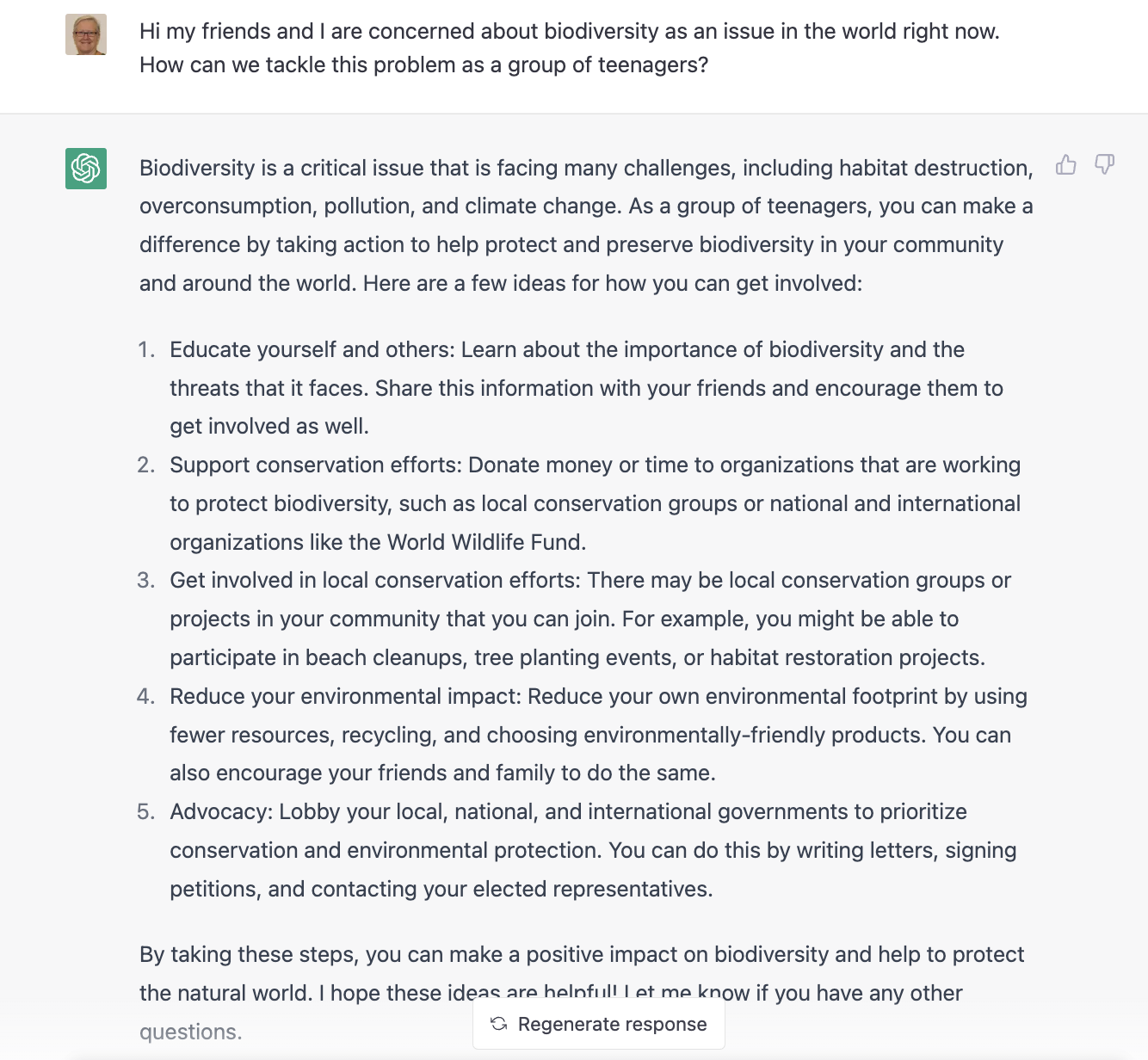
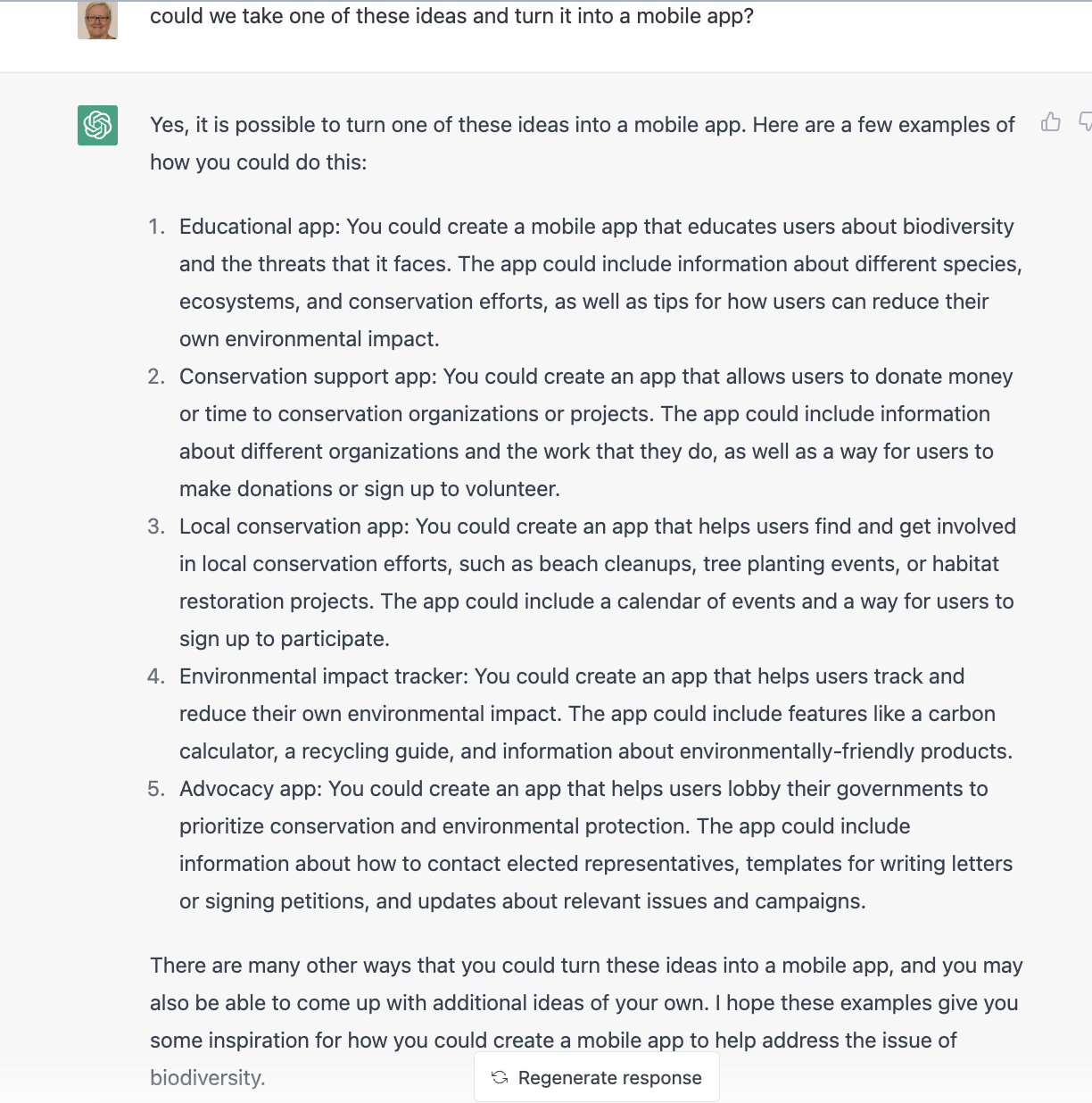
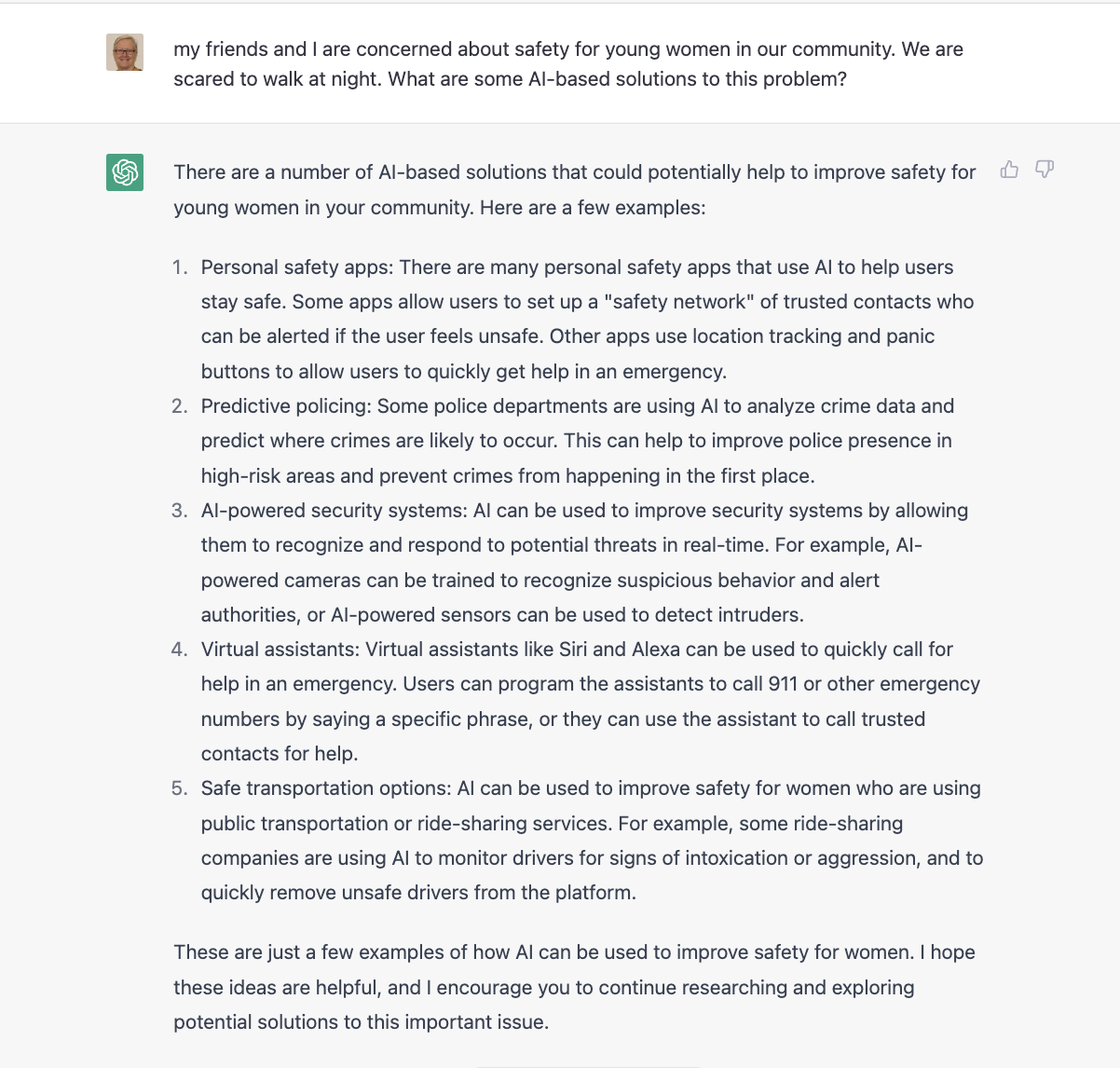
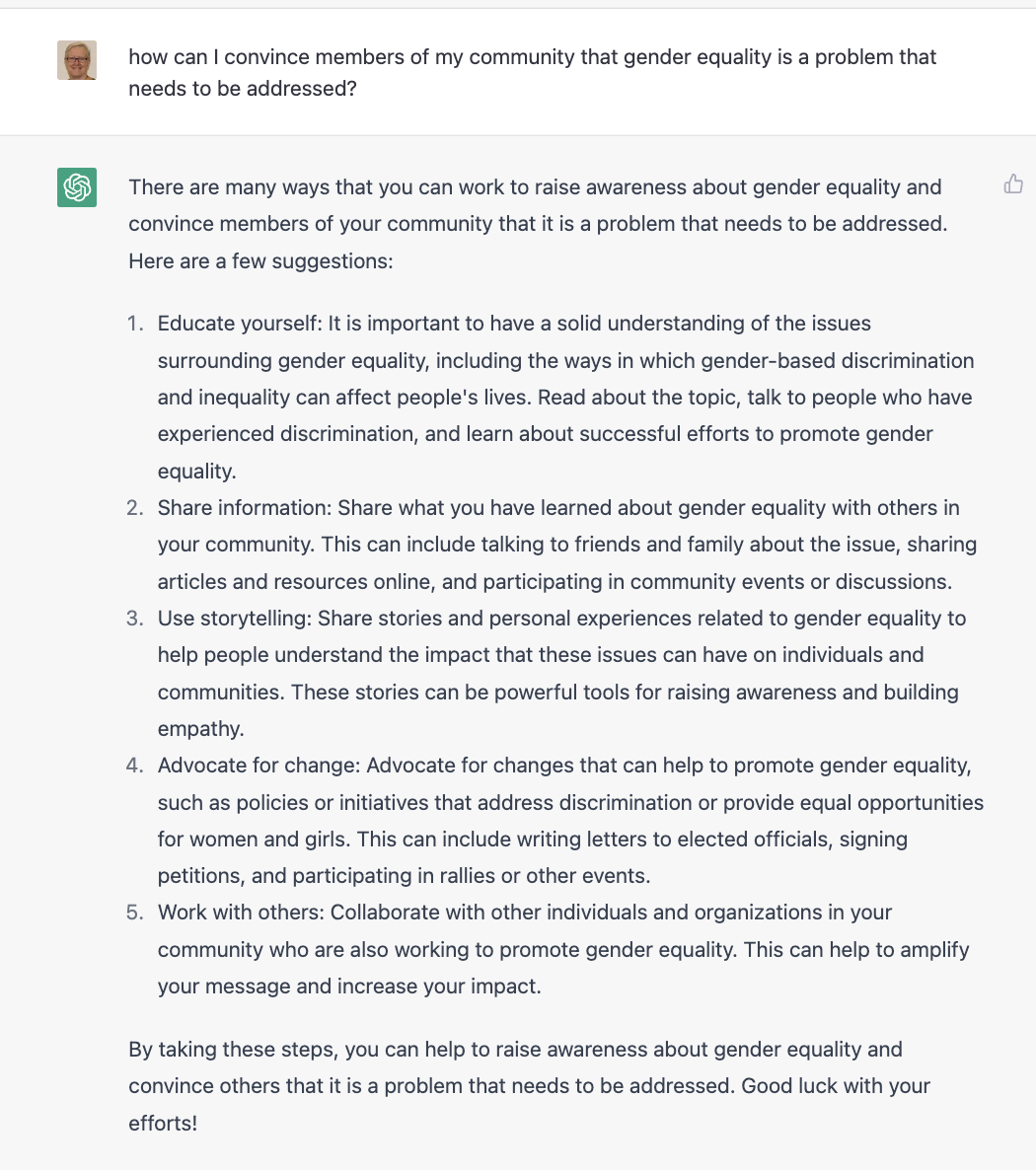
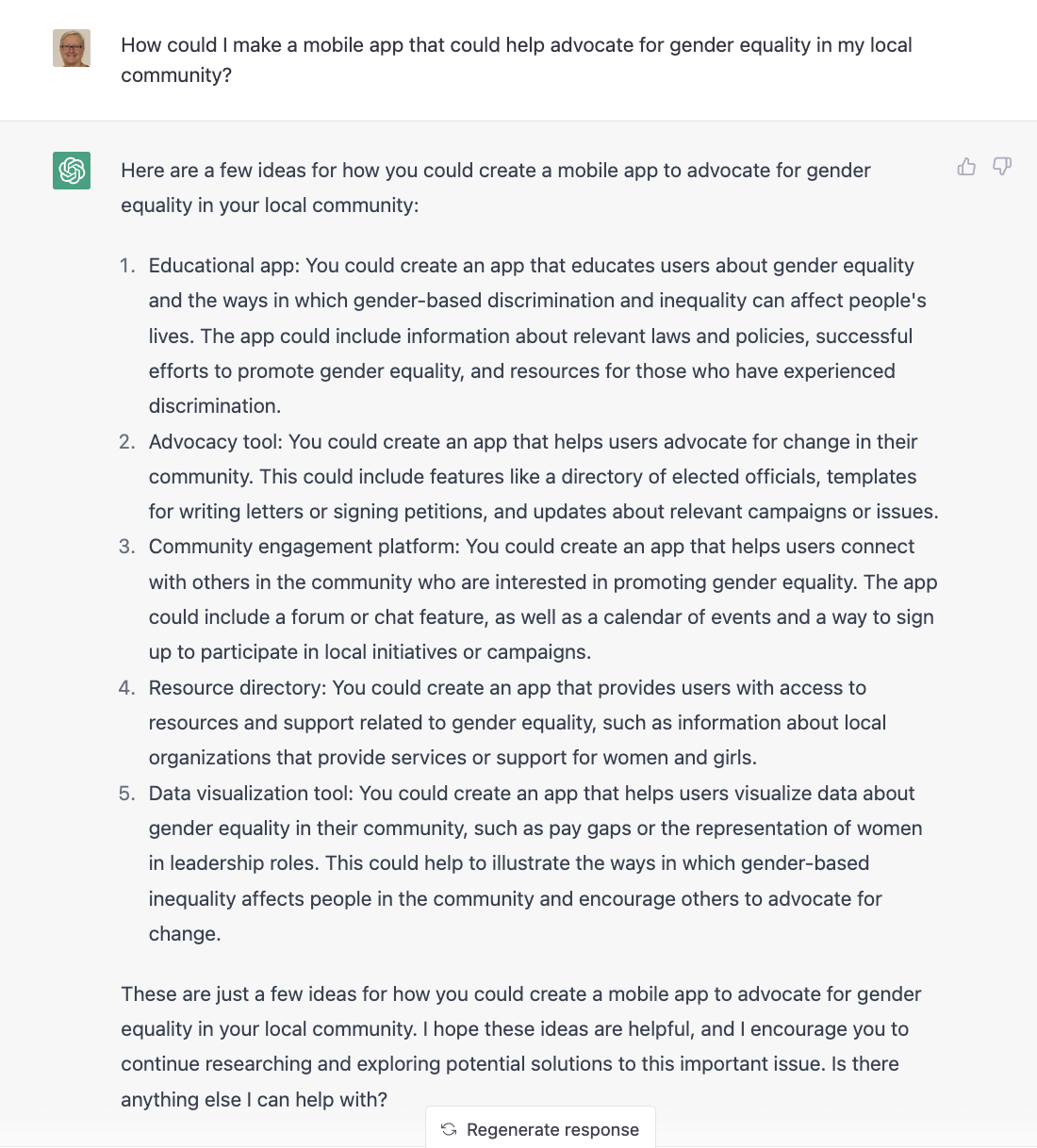
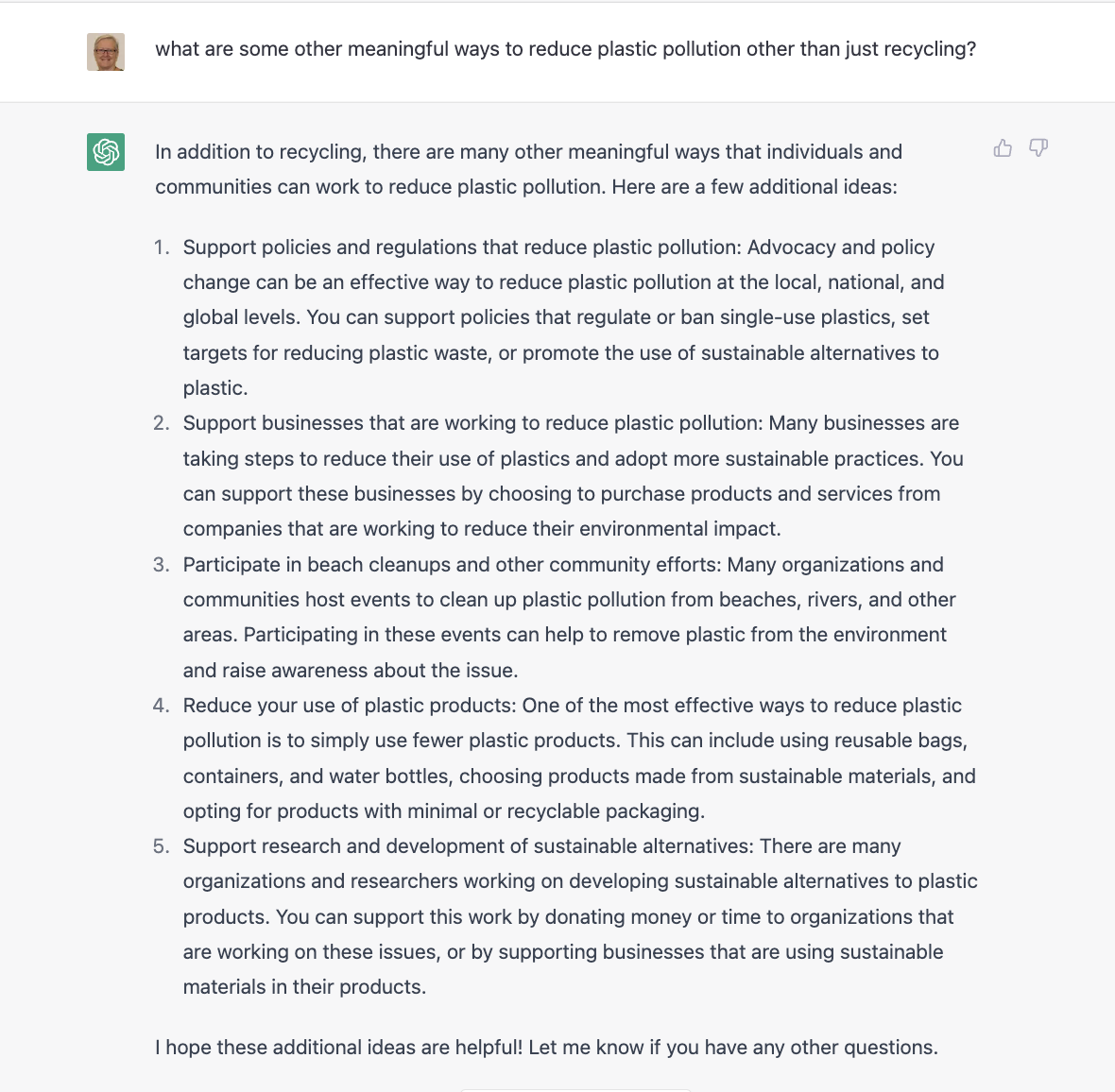
ChatGPT
Another exciting tool that can help you identify a problem is ChatpGPT, from OpenAI.
You can sign up for a free account that will give you enough free credit to work on your Technovation project.
Click the toggles below to see some examples prompts using ChatGPT for Technovation ideation.
Note that responses are AI-generated, so not necessarily factual or complete. Use of ChatGPT is recommended as another resource of many in the ideation process. It may help generate some some ideas your team can expand on and use as a launchpad for other ideas.
Another brainstorming technique is called problem mapping or mind mapping. You write the problem in the middle of a large sheet of paper and write down solution ideas around the problem. Connect similar or related solutions to combine them or spark new ideas.