
Coaching: Signing Up to Coach

Add Your Heading Text Here

Cal.com an open source scheduling platform that enables you to take bookings on your own terms.

Coaches set their availability, connect their favourite calendar and video conferencing platforms, and share their link.

Setting Up Cal.com

Accept the email invitation
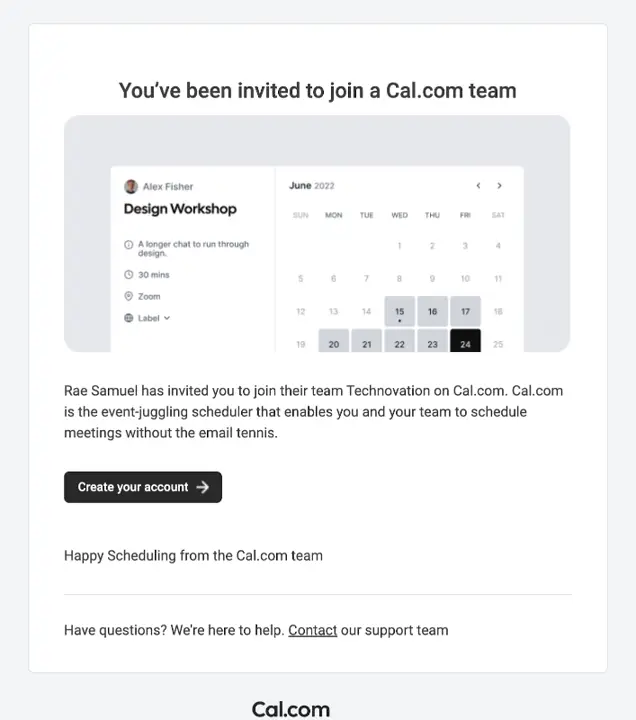
You will receive an invitation to join the Cal.com team

Select the option to ‘Create your account’

  • The email will be sent from hello@cal.com
  • Ensure you check your Spam folder
    Add the email above to your whitelist

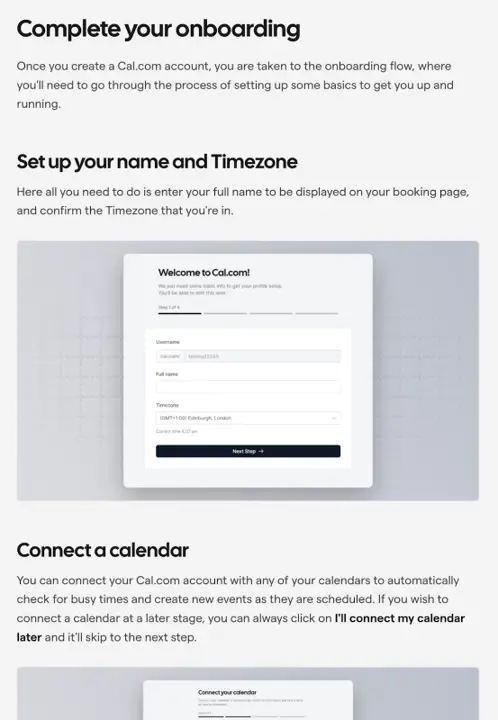
Following the instructions on screen to complete account setup

There is also documentation on the account setup process from cal.com

  1. Priorities to accomplish in setup are
    Setting up your availability (video)
  2. Connect your calendar
    NOTE: you can connect multiple calendars (more on connecting calendars)
    1. Click on your name in the top left and select My Profile

strong

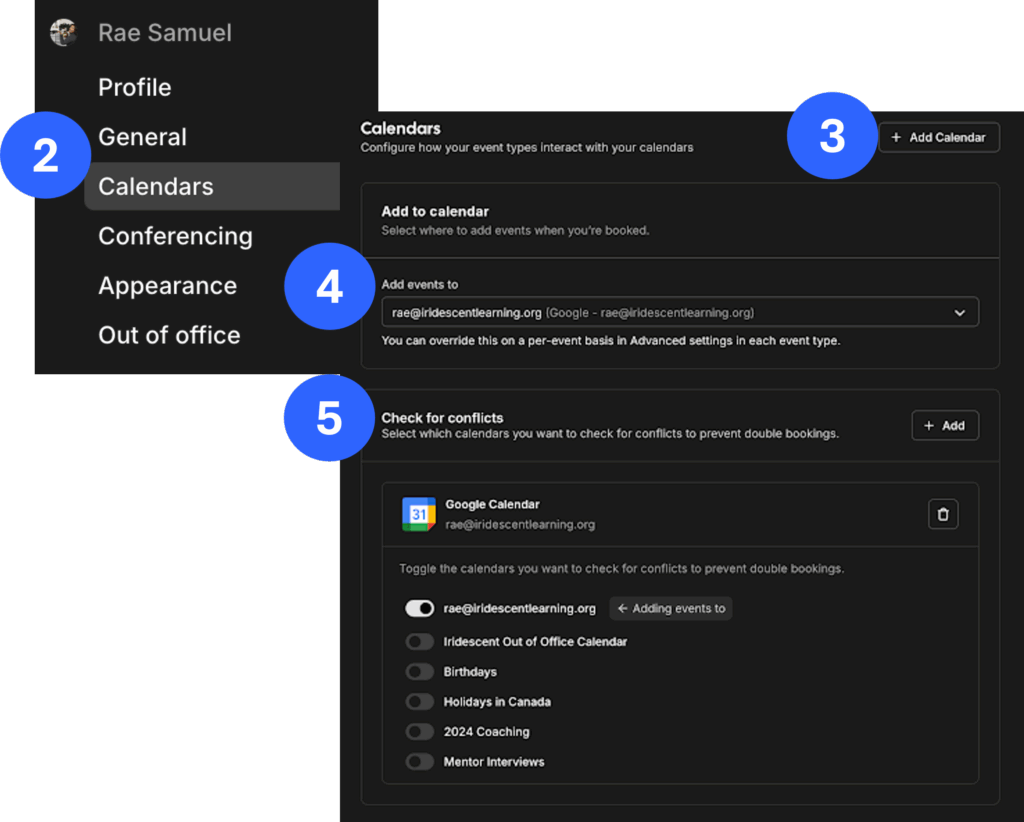
  1. Select Calendars from the left sidebar
  2. Add any accounts with calendars, select Add Calendar in the top right
  3. You can have cal.com check as many calendars as you’d like
    • Select them under Check for conflicts
  4. It can add to a specific calendar
    • Select the calendar under Add events to
  1. Click on your name in the top left and select My Profile 
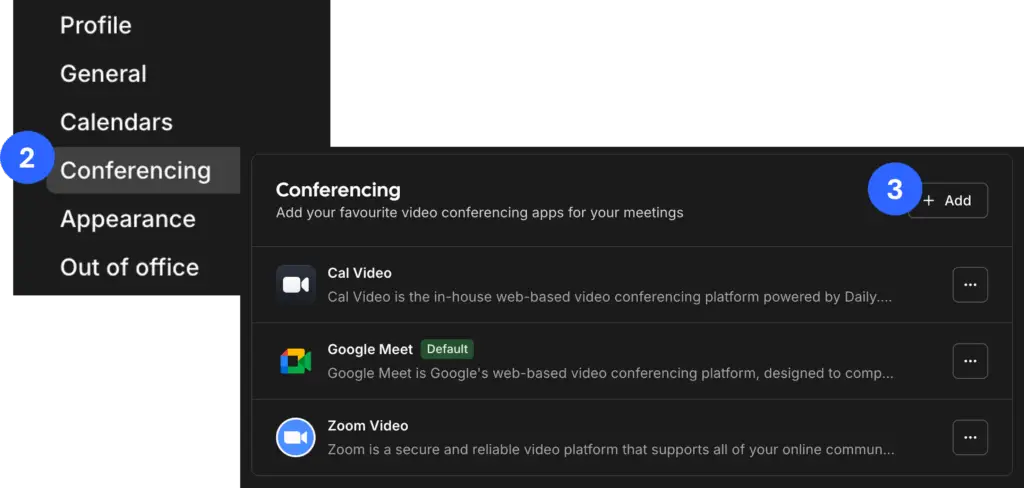
  2. Select Conferencing from the left sidebar
  3. Add any accounts for video conferencing that you would like to use
  • By default, Cal.com will show all availability from your connected calendar into account. This is what teams will see when searching for sessions
  • Setting your availability for coaching ensures that all of your available time is not available to be booked by someone else

Tip: set aside weekly hours that you want to block for Coaching in your personal calendar and adjust your availability on cal.com to reflect that

Booking Restrictions

The Technovation team has put some rules into place around booking, so coaches are not overbooked and have time to prepare between sessions.

  • 15 minute breaks between sessions
  • Bookings need to be made by the team at least 72 hours in advance, to allow sufficient time for coaches to prepare
  • Teams can book with less than 48 hours notice, but you as a Coach will have to approve these sessions
    • You’ll get an email with the Subject Line “Awaiting Approval…”

I still have a question

You can always reach out to Technovation’s Volunteer Engagement Team on Slack or at volunteers@technovation.org.