Coaches: When a Team Books a Coaching Session

Running Your Coaching Session

1-hour Session Structure 

This is a suggested timeline. Your session can vary based on your preferred style.

Introduction and context gathering

  • Coach and team will introduce themselves to each other
  • Team will share more details about their project
  • Coach will go through questions that the team submitted in the booking form
  • If the coach gets through these questions are there is additional time, the team can ask other questions they may have OR the coach can share any additional feedback
  • Recap key points, including feedback and what the team is doing well
  • Share follow up meeting link (optional)
  • Sign off

No Shows

We understand that unexpected situations can arise, but we ask that you make every effort to attend your scheduled coaching sessions.

Similarly, we ask teams to respect their meeting times with coaches. We recognize, however, that occasionally a team may be unable to attend due to internet connectivity or other unforeseen issues.

Here’s what to do if your session cannot take place as scheduled:

If you have a team that does not show up

  1. Wait for the follow-up email that should send after the scheduled end time
  2. Look for the URL after “If the team did not attend”
  3. The Technovation Team will follow up with them to get them booked again

If you are no longer able to attend a session

  1. Request a reschedule from the team, before the meeting
  2. In cal.com go to Bookings
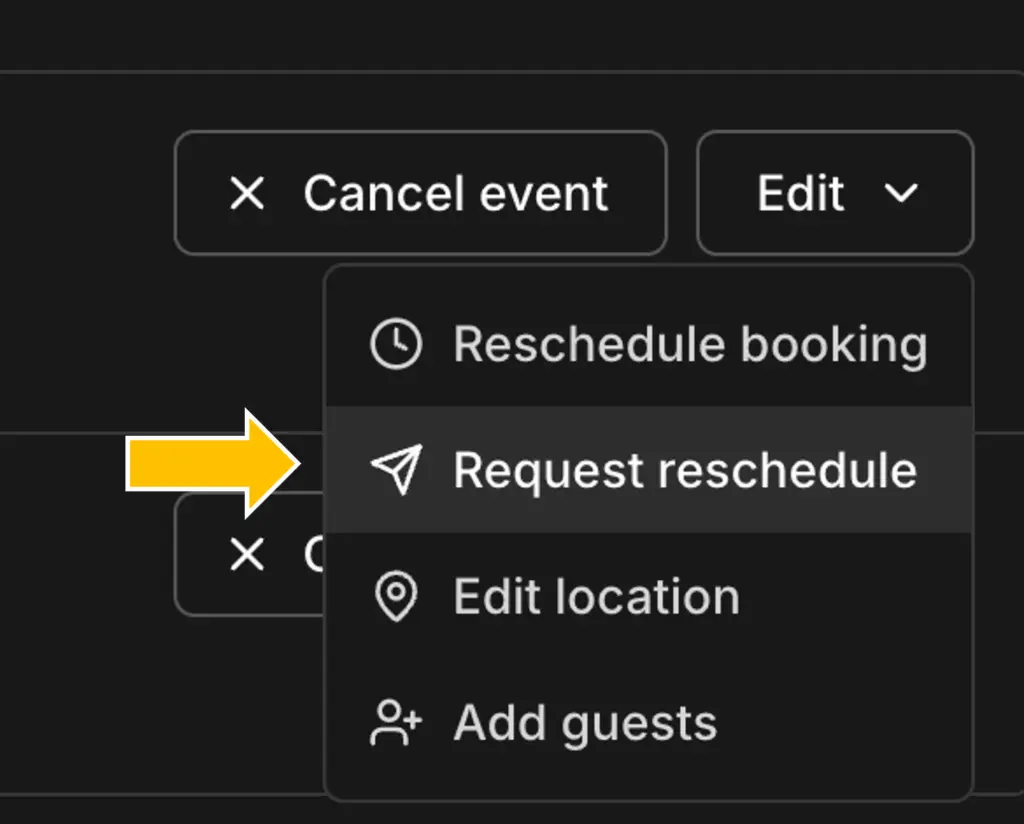
    • On the booking that needs to be moved, select Edit, then Request Reschedule, as seen in the image to the right
    • Please input a reason why you are rescheduling the booking 
    • ie. “Thank you for booking to meet with me. Unfortunately, I have a scheduling conflict, but would be happy to meet another time. Please book another meeting time with me!

I still have a question

You can always reach out to Technovation’s Volunteer Engagement Team on Slack or at volunteers@technovation.org.